


Before I get to the heart of my message, I need to get something off my chest.
Dear Microsoft,
We need you. In fact, we needed you over 10 years ago when you left us for Android. We hope you’ve learned your lesson, and taken this time to realize how many innovations both iOS and Android have stolen from Windows Phone/10 Mobile. We had Nokia Treasure Tag NFC/Bluetooth locators long before Airtags or Moto Tags were even a actualized thought (although Tile was there just before). We had Glance Screen for quick information viewing while our displays were off, long before iOS and Android added it to their OS. If I may even be so bold as to say that the social media integration of Windows Phone 7 with Facebook/Twitter and the People hub is still the best experience I’ve had on any mobile device. Neither iOS or Android even came close.
I also daresay that it would be extremely difficult to find any former Windows Phone/10 Mobile user that will say “nah man, iOS and Android have the best mobile UI EVAR!”, in fact even though this is just conjecture, I’ve been taking my bright orange Lumia 640 XL, with matching orange tiled home screen, out in public (more on that further into the article) and so many people are like “OOOOH, what phone is THAT?” and I get the opportunity to explain the greatness that still is Windows 10 Mobile, even if it is barely alive…but like the armless, legless Black Knight in Monty Python and the Holy Grail, it keeps on fighting despite the DEEP neglect you’ve given it since leaving us for “greener pastures”.

I was a Windows Phone user since the HTC Arrive landed on Sprint in 2011, previously using Android devices before I moved over to Windows Phone 7. I stayed on through WP7.8 with the Lumia 900, and then waited in line at my local AT&T store to get the Lumia 920 on Windows Phone 8. Microsoft, this was your first mistake with your growing user base. You made us buy a whole new device to support your new operating system, rather than making an upgrade path for your existing devices. Windows Phone 7.8 was not the same as getting the full Windows Phone 8 upgrade, and it was of little comfort to us, but still we believed in the product and we dutifully stood by your side and bought new devices, and bought into the new platform, because it was honestly great. Windows Phone 8/8.1 were really great experiences. We had excellent devices from Nokia with the Lumia line, we had the HTC 8 X/S devices that brought really great differentiation to the platform. Samsung and LG were there too, but their offerings paled in comparison, although the ATIV S certainly gets an honorable mention here, although the best-in-class was certainly the Lumia line of devices. Nokia was in peak form in both hardware and software, and it was simply too difficult for the other OEMs to compete, so they had to differentiate in other ways, and HTC certainly came close, but not quite close enough.
Windows Phone 8/8.1 brought us the amazing Lumia 1520, which, to this day, is my second favorite Windows Phone/10 mobile device after the Lumia 950 XL. The 1520 camera was top notch, and when paired with the excellent Nokia Camera apps, it was simply unmatched, save for the Lumia 1020, until the 950 XL came around, however many will (correctly) argue that the Lumia 1020 is the camera king for Windows Phone, and they would not be wrong. I never used the 1020, so I can’t correctly speak to its camera prowess, although the reviews were overwhelmingly positive for it in all aspects, and to this day it still stands as a pretty damn good camera phone. In Windows Phone 8.1 we finally had major apps, despite tech pundits complaining about “the app gap”, which I honestly never really understood. We had Social media apps from Facebook, Instagram, Twitter, and we had really excellent third party Reddit apps like Baconit and Redd Planet. We had banking apps, we had travel apps, we had excellent mapping with HERE Drive+, HERE Maps, and we had excellent photography apps from Nokia, HTC, and 3rd party apps like Fhotoroom. Let’s also not forget that we had Whatsapp, Telegram, Skype, Viber.
What we didn’t have in 1st party apps, we had in excellent 3rd party apps like Rudy Huyn‘s excellent 6Snap (Snapchat), 6Tag (Instagram), and 6Tin (Tinder). One thing that we did lose, was the excellent social media integration with our People hub from Windows Phone 7. I was really sad to see that go away with the upgrade to Windows Phone 8/8.1. These were the glory days to be sure, with lots of apps, decent marketshare, and a bright future with OEMs like Nokia and HTC providing quality hardware and software experiences for Microsoft.
However that was the beginning of the end. Once Microsoft purchased Nokia and Steve Ballmer retired, Satya Nadella was chosen to be the new CEO. Nadella was an enterprise server guy, and really had no care for the mobile business, and it really showed in how poorly he handled the Nokia purchase, and his entire lack of vision for the mobile play. Within a year, he basically laid off the entire Mobile business, quit making phones, stalled development on Windows 10 Mobile, and left it on life support for 6 more years. Which brings us to…
Today
It is now 6 years post Windows 10 Mobile’s last update for the Fall Creators Update. Our modern-day smartphones are completely infested with AI, even on some of the lowest end handsets. AI is in our desktops, our laptops, our TVs, our Amazon assistants…it is EVERYWHERE, except Windows Phone. The Windows Phone assistant, Cortana, was shuttered several years ago and no longer works on any Windows Phone/10 Mobile device. The Windows Store, which was last updated to use a WebView component to display app page data, can no longer display any apps that you browse for, and can only allow you to re-download the apps that you already have in your app library from your previous purchases. It is possible to restore an earlier non-webview version of the store, but it requires some hackery using apps like Interop Tools or CMDInjector, and it requires your device to be on Windows 10 Mobile.
In our daily life, we are bombarded with apps that make us addicted to doomscrolling, constant connection, and obsession with news that may or may not even be real. AI has blurred the lines in so many ways of our life, and we need a digital detox to help us maintain our sanity and peace. One option is to simply go back to a dumbphone and disconnect from all forms of communication besides the phone call, and text message on a T9 dial-pad. Rather than go through with such a drastic measure, I would propose a much better solution, the “Dumb Smartphone” courtesy of Windows 10 Mobile. In the US there are seven Windows 10 Mobile devices that are VoLTE certified , and they are spread out amongst AT&T, T-Mobile, and Verizon. These devices, though still smartphones, are the perfect way to get a “digital detox” and still remain somewhat modern. I personally have been using an AT&T Lumia 640 XL for the last several months to see how viable it is to use in todays AI infested smartphone world.
Before I get into my experience, let me share with you the devices that will still work on today’s modern VoLTE (colloquially called “HD Voice”) networks. This list only pertains to the big 3 carriers in the USA. There are some caveats to this, as I will explain below.
AT&T
This carrier has three Windows 10 Mobile devices that are VoLTE (HD Voice) certified and still work on their network, and they are:
- Nokia Lumia 830
- Microsoft Lumia 640 XL
- Microsoft Lumia 950
Note that these are the AT&T branded devices only, as no unlocked devices will work with AT&Ts HD Voice service. You can still use other unlocked and AT&T branded Windows 10 Mobile devices with LTE data only, as I have been doing with my Lumia 950 XL, and my Lumia 1520. I can’t make or receive phone calls, but I can use LTE data, and SMS/MMS works with no issue, even on Red Pocket Mobile, which is an AT&T MVNO.
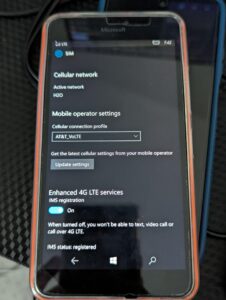
The key to getting these devices to work isn’t just that it’s one of the 3 supported devices. You also have to have a physical SIM card that starts with the ICCID of 8901410. AT&T has recently started to phase out that code and is using 8901280 instead, as part of their “standalone 5G” rollout. If you get one of these SIM cards, your otherwise supported device will not get VoLTE, and this is because the 410 Mobile Network Code is hard coded into the firmware for these devices. Unless the SIM card matches that MNC, hence the 410 portion of the ICCID, you will only get LTE data service…so that’s kind of a bummer. However you can still find plenty of the necessary SIMs on eBay for both AT&T prepaid, and AT&T postpaid.
Another good bit of news is that these devices will also work on AT&T MVNO carriers. I have successfully used my Lumia 640 XL on Red Pocket Mobile, and H2O Wireless (where it is currently parked as I have my 950 XL on Red Pocket Mobile). Another AT&T MVNO, Boost Mobile, also gives out SIM cards with the 8901410 ICCID. Just be sure to follow the MVNO directions for setting up the necessary LTE APN otherwise your data may not work.
T-Mobile

This carrier also has three Windows 10 Mobile devices that are HD Voice certified, and these devices are:
- Nokia Lumia 640 LTE
- Alcatel Fierce One XL
- Alcatel Idol 4S
As with AT&T, there is a caveat to these devices. These have to be the T-Mobile branded devices, and they require a SIM card with an ICCID that starts with 8901260. The story is the same with the AT&T devices in that the 260 portion of the ICCID is the Mobile Network Code that is baked into the T-Mobile firmware for these devices. Using any other SIM card will most likely result in LTE data usage only and no HD Voice service. Now another caveat to this is that T-Mobile does still have 2G available in some markets, although they are supposed to be shuttering the last of their 2G network by the end of July 2026, so you could, theoretically, still use any unlocked Windows Phone/10 Mobile device on this carrier and receive 2G voice and data services…eww.
Verizon
This carrier only has one Windows 10 Mobile device that is certified to work on their network.
- Microsoft Lumia 735
This device doesn’t have the same issue with SIM ICCID values as the AT&T and T-Mobile devices do, however Verizon will not allow this device to be activated on a new line of service, however if you already have an activated SIM card, you can simply plug it into the Lumia 735 and you will get all Verizon Voice and Data services. If you are unable to get working service, you may have to call in to support, or go to a Verizon store, and give them the IMEI of a device that does work, to force the system to accept the 735 on the network.
My “Dumb Smartphone” experience
As I mentioned before, I have been using my Lumia 640 XL on AT&T Pre-Paid, Red Pocket Mobile, and H2O Wireless for the last several months, trying to gauge the viability of using Windows 10 Mobile in 2026. I was honestly surprised at how good of an experience it still is, despite having next to no apps, a horribly broken app store, and no official support for this amazing smartphone OS.
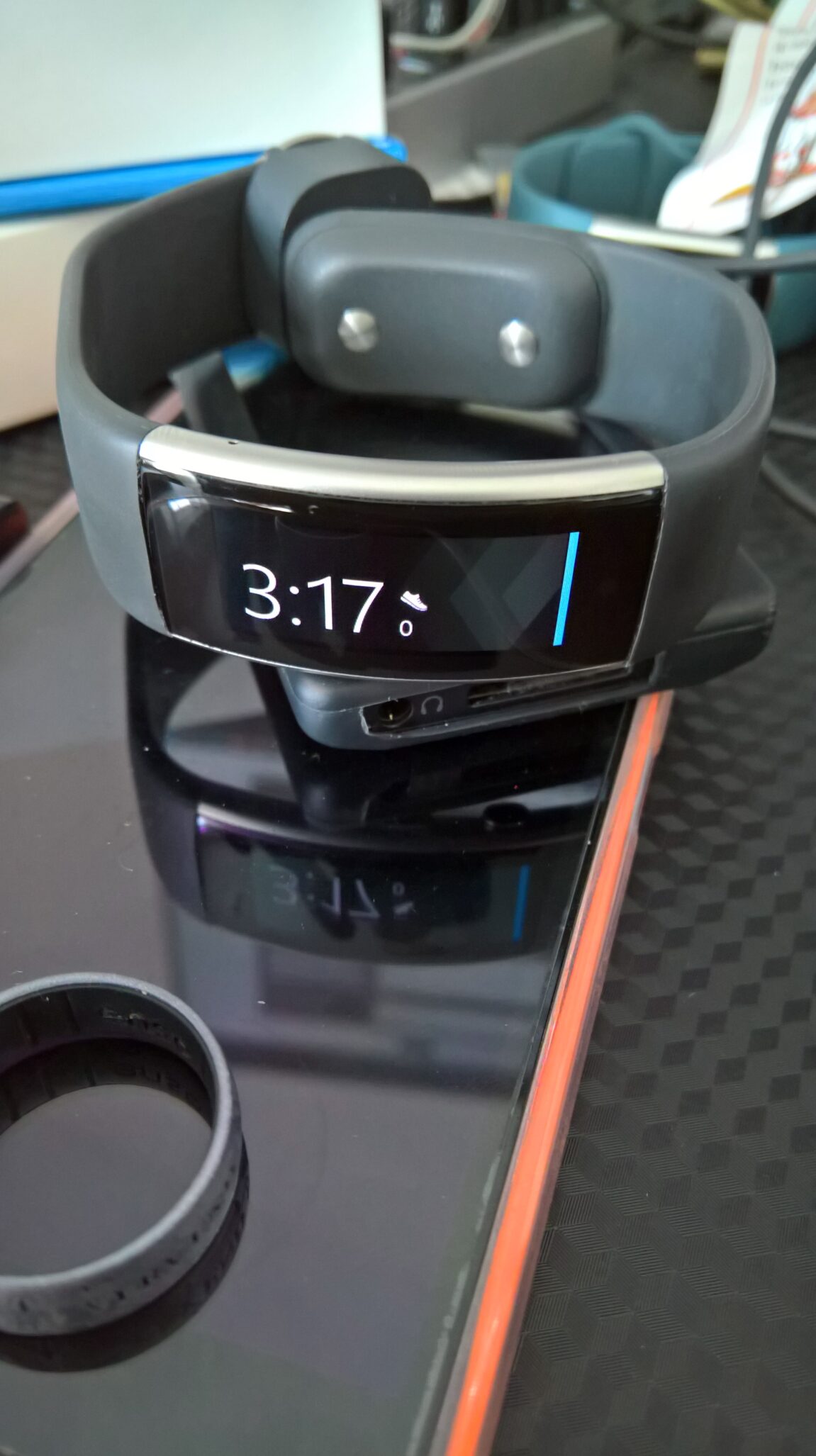
Taking my phone out in public has been fun, and sometimes I pair it with my Microsoft Band 2, just to complete the look and feel of a typical day back in 2015.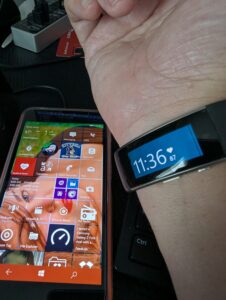
My 640 XL has a bright orange back cover, and I matched my home screen tiles in orange as well, so it really stands out. Several people have asked me “what phone is THAT?” and then I get to explain that it is a Windows 10 Mobile device. Some have even asked me where they can get one, and THAT is where I have to explain the sad story of Microsoft’s abandonment of this great mobile platform.
Aside from the aesthetics of the phone, the functionality is perfect for someone that is wanting to “digital detox” from their current smartphone. Devices of today are basically designed to nag us and keep us engaged so that AI can learn more about us, what we like, what we don’t like, what we do, where we go, who we talk to, when we talk to them, etc. and as long as we keep giving AI what it wants, it won’t stop. The great thing about Windows 10 Mobile is that it has NONE of that. Sure there might be some telemetry tracking still being used, but there is no AI on these devices, and you can toggle off several of the telemetry options that are there.
As I mentioned earlier, Windows 10 Mobile has a mostly non-functioning app store, and most of the apps that we did have no longer work. Here is my list of what DOES work on Windows 10 Mobile, outside of the Phone and Messaging apps, as those will only work once you have your device working with your carrier.
- Phone
This app will only work if you have a phone that can either connect to 2G voice, or is VoLTE certified for your specific carrier. As mentioned above, in the US, there are a limited number of Windows 10 Mobile devices that are VoLTE certified, and they require a specific SIM card ICCID code in order to work. - Messaging
This app mostly works as it did ten years ago. The only real issues are backend issues with RCS messaging. If you are currently on a device that uses RCS messaging, and decide to go back to a Windows 10 Mobile device, your messaging will break unless the other party turns of RCS for your chat, on their device. Also the messaging sync feature that was part of your MS account, is now broken, so don’t expect to be able to have your messages on any other devices you set up with your MS account. It is possible to sideload the Contacts+Message back up tool to your device, and then you can locally back up and restore that data. - People app and Calendar app
I’m only including this because Yahoo! can still sync with the People app, thanks to Microsoft providing CardDAV and CalDAV support for them, natively. The caveat to this is that it will only work if you set up your Yahoo email account as an IMAP account with an App Password. All of the other built in providers are basically broken. Microsoft Account, Office 365, iCloud, Yahoo, are all broken and can not authenticate. However Yahoo!, thankfully, still supports CardDAV (for contact sync) and CalDAV (for calendar sync), so once you set up your IMAP account with Yahoo, and your App Password, you can also sync your Yahoo Calendars and Contacts to your Calendar app, and People app and then watch those Live Tiles come back to life! You can set up IMAP for other providers as well, I currently have it setup for Ionos, Gmail, and iCloud, however Yahoo was the only one that Microsoft provided CardDAV and CalDAV support to. - Weather
The Weather app STILL works, however you have to be on the 1703 or 1709 build of Windows 10 Mobile. Anything before that and the app won’t register with the back end services. - Hyperlapse Mobile
This was part of the Lumia camera app suite, and it is still available to download from the Microsoft Store, and can be installed from it! If you already had this app previously, and it shows in your store library, you can install it from there. If you do not have it, you will need to do some work and uninstall the current store and replace it with an older version, which you can find in the Windows Universal Tool app repository. This app is available from the developers Github, and they also have a mini version that you can install on your device through the baked in Developer Mode for Windows 10 Mobile. - Windows Maps
This app will still work with live directions, however you can no longer download offline maps. - Microsoft Movies and TV
This app will play all your previously purchased movie and tv content from the store, as well as personal videos that you sync to the phone. - Groove Music
The follow up to the Zune software of Windows Phone 7 will still work for locally stored music, so long as it is in a supported format like .mp3, .m4a, .wav, and .wma - Photos
This app still provides viewing and editing of your locally stored photos, however OneDrive integration is mostly broken. Despite still being able to communicate with certain parts of OneDrive (such as seeing your available storage capacity), photo uploads and viewing of OneDrive files is completely broken. - Microsoft To-Do
This task app is still able to be downloaded and installed from Microsoft Store, however it will not be able to connect to your Microsoft account, so you won’t be able to sync it to any other devices. This will only work for locally stored task management. - VLC
This UWP app is also still available to download and install from the Microsoft Store, and it works just as it did ten years ago. - Candy Crush Saga and Soda Saga
I discovered that these games are still able to be downloaded and installed from the Microsoft Store, completely by accident. I had recently installed the last “non-webview” version of the store (version 11805 for those playing along at home), and saw these front and center in the Games section, so I decided to install them, and it worked! - Airwaves
This FM Radio app is available for free and is still available in the Microsoft Store for download and install. Remember that Microsoft had an integrated FM Radio app, but after they released the first Windows 10 Mobile OS update, they removed it from the OS and never replaced it. - BlueSky Browser
This app is still available for download and install from the store as well. Works a little better than Edge. - Cut the Rope 2
Still available for download and install in the store. - Draw Free!
Fun little drawing app is still available in the store for download and install. - FeedLab
RSS feedly compatible reader is still available for download and install, and still works with Google SSO if you use that for your Feedly account.
In the interest of your time, I will provide a list of the other apps that I was able to find and download below:
- Field Medic
- #1 Password Generator
- #1 Password Manager
- 8Zip pro
- Certificates (Microsoft app)
- Bluetooth LE Explorer
- Files
- Flow Mail (Gmail account support is the only one that works)
- FM Radio
- Fresh Paint
- Gadgets
- Galaxy Explorer (recommended for high end devices only like 950/XL, Alcatel Idol 4s, and HP Elite x3)
- Microsoft Authenticator
- Microsoft News (only the toast notification works though)
- Minecraft for Windows 10 Mobile (I installed this via my Library as I purchased it years ago)
- Movie Maker 8.1
- Note+
- Office 365 Admin
- Photo Scan (developer also makes Flow Mail app mentioned above)
- Plex (yes, THAT Plex)
- Receipt Tracker (a Microsoft app)
- Snake ‘97
- Thunderbolt Quantum Navigator (browser app that was just recently added to the Microsoft app store. I found it on r/Windowsphone in Reddit)
- Xbox Original Avatars
- Xbox Console Companion (downloads and installs, but doesn’t really work)
This is not an exhaustive list by any means, and there are also other apps that still work, but you will not be able to get them from the official Microsoft Store app. I procured several apps from the WUT app repository, and installed via Developer Mode on my device, or with other apps called CMDInjector (for any WP device that is not a Lumia x50 device) and Interop Tools, a few of these app I will list for you below:
- Adobe Photoshop Express
- Audible (login works, but your library can’t sync on any version other than 10.0, which comes in the Lumia 950 XL image. Once you upgrade the app, your library will not sync or play)
- Adobe Acrobat Reader
- Blink (another Lumia camera suite app)
- Dropbox (you have to sideload version 2.6.0.0 in developer mode, as it is the only version that will still sign in to the Dropbox web auth service)
- Excel, Word, Powerpoint
- OneNote (installs and can log in and view what notes you have, but you can’t sync them or open them)
- GroupMe (version 2.53.56.0 will install via Developer Mode and sign in and work)
- MSN Health and Fitness (will work with Lumia motion data to track steps and calorie burn)
- Lumia Creative suite apps
- Microsoft Translator
- Nokia NFC Writer (fun app to create NFC tags that will interact with your phone)
- Office Lens (for converting pictures to PDF)
- Unigram Mobile Messenger (Telegram client that still works. I have it installed on every lumia device that I have. It requires build 1703 or 1709)
See, there are still some apps that work, and if you absolutely need to have social messaging apps, you’ve got a working client in Unigram Mobile Messenger and GroupMe. I have both installed, and use them extensively. However the point of this is just to demonstrate that you don’t have to be total technical luddite with Windows 10 Mobile today, however who’s to say how much longer these apps will work.
Despite the OS being in the state that it is in, there is current activity and renewed interested in Windows 10 Mobile app development, in fact several NEW apps have been released to the Microsoft Store and others available via GitHub. There is a Spotify app called LibreSpotUWP on Github that works only with Spotify premium, and requires a helper app to complete sign in, but it works. There is also the Thunderbolt Quantum Navigator browser that I mentioned before, and it is available directly from the Microsoft Store. There is also an IMGUR UWP app available on Github as well. There is also apps that were recently developed and released to the Microsoft Store by TRC Software. These are all brand new apps for Windows 10 Mobile, and they include a music player, notes app, an Artist Social media platform, Video player, Planner, and a Rich Text Editor. You can find out more about those apps from the r/Windowsphone sub and the r/W10M sub on Reddit.
IN SUMMARY
If you are tired of your smartphone constantly nagging you for attention, and spying on your every move, or you’re just tired of AI EVERYWHERE™ and simply want a break, then Windows 10 Mobile is still a viable option, especially if you are in need of a digital detox© but want to stay somewhat connected. With that said, who knows how much longer these devices will still work, but for now they do, and that’s good enough for me and my mission to stay out of the AI Matrix.